Undocumented Security Warning in WinRAR
Overview
In this article, I will show an undocumented and unknown security warning feature that I have encountered while using WinRAR.
.PIF File Format
Before starting, we should understand what the .pif file format is in the Microsoft Windows operating system. Most of you probably don't know what that extension type is. This is completely normal because it is an ancient format that is from MS-DOS era.
At its core, a .pif file is a specialized shortcut file (similar to .lnk file in modern Windows) but made specifically for running legacy MS-DOS applications inside Windows environment. .PIF files used to contain several settings for the target MS-DOS application, such as: memory allocation, display options, startup directory, parameters and multitasking behaviour.
Security Problems that .PIF Files Cause
In late 1990s and early 2000s, malware developers frequently used .pif files. Because Windows treated .pif files as pseudo-executable shortcuts, malware developers would name a malicious file as something like love-letter.txt.pif.
And because Windows always hides .pif file extension, even if the option for hiding known file extensions is turned off, the user would still see the file name as love-letter.txt and click to it, resulting in a malware infection.
Why .PIF File Format Is No Longer Used
Today, .pif files are barely known even by power users. Because Microsoft later removed MS-DOS application compability layers, the .pif file format became obsolete and useless. Modern Windows versions cannot execute old .pif files designed for MS-DOS applications.
.PIF Files Can Be Executables
Try it yourself right now: change the extension of any .EXE file to .PIF. You will see the shortcut arrow and a blank page icon. Now double-click to it and the executable PE file will run. This causes a major security risk as the blank icon resembles a .TXT file, and this can even fool a power user who has hide extensions for known file types option disabled, as mentioned above.
Secret Security Feature of WinRAR
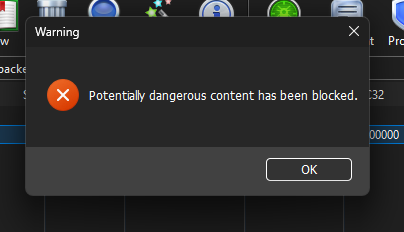
While developing Shortcut Virus Removal Tool (SVRT), I have discovered a secret security feature of WinRAR, related to the .pif file extension. If you put any .pif file regardless of content to any archive type and open that .pif file using WinRAR, you will see this simple error message:
At Light Theme it Looks like This:
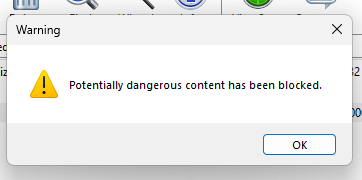
I think the icon on the dark mode message is different because it is not a normal MessageBox in Windows API. It is being drawn by the WinRAR. It also does not play the warning message sound.
Explanation
When you double-click on (or simply open) the .pif file without extracting it, you will always get this warning:
As I understand, WinRAR does not check the contents of the .pif file because the file that I have used on the test was completely empty. WinRAR is probably hard-coded to block any .pif file executing inside of the archive, regardless of its contents.
When This Security Feature Was Added
The exact date this warning feature was added is unclear because it is completely undocumented and found nowhere on the internet except this article.
I tested this on the latest WinRAR version (7.23) and the warning is present.
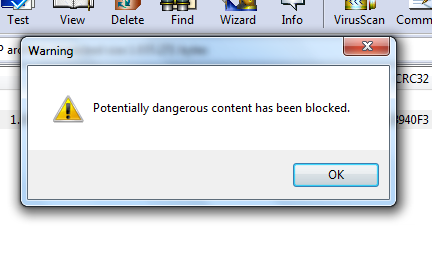
I tested it again using a very old version, WinRAR 3.62, and the warning message is still there. It looks identical, featuring the same icon, title, and message. This shows that WinRAR has included this security warning since at least year 2006.
Not Included in Version 3.40
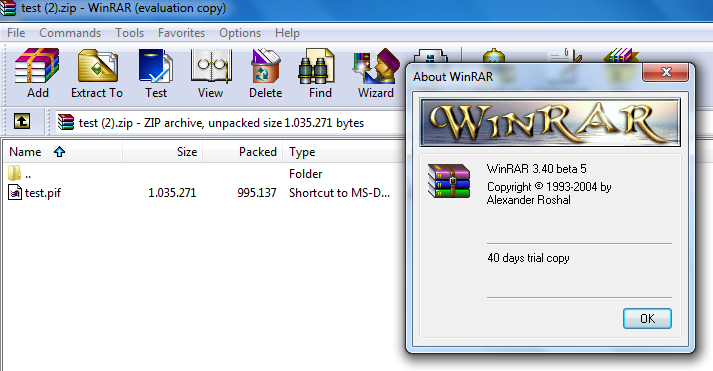
I was able to find a copy of WinRAR 3.40 beta 5 version in the Internet Archive. This version was released at year 2004. And this version does not include the .pif file security warning!
From this, we can understand that .pif file security warning was probably added in year 2005 or 2006, due to rise of the malware attacks using the .pif file format.
Extension Exclusion Feature in WinRAR
WinRAR has a security option that can block extraction of files according to their extension. This option is called as File types to exclude from extracting and it is located at Security tab in WinRAR options (settings). This feature lets the user add Prohibited file types. This feature is present on the latest WinRAR version and on the old 3.40 version.
This security option is disabled by default, but some extensions are mentioned on the textbox that is used for storing the blocked file types:
When enabled, if you try to double-click or extract a file that is included in the prohibited file types, you will get this error:
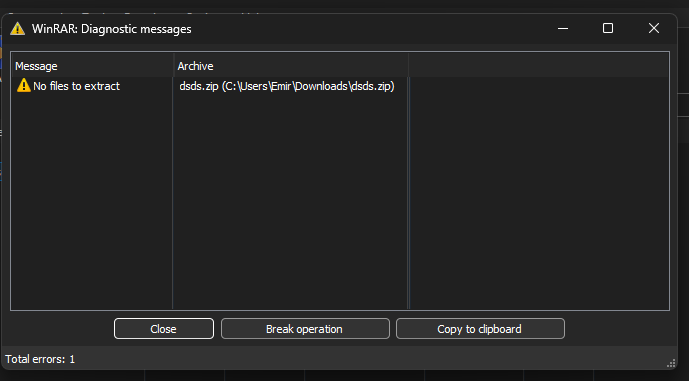
Even if this option is not enabled, WinRAR will still block .pif files from being double-clicked.
Not Present on 7-Zip
7-Zip does not block .pif files from executing without extraction.
Similar Feature in WinZip
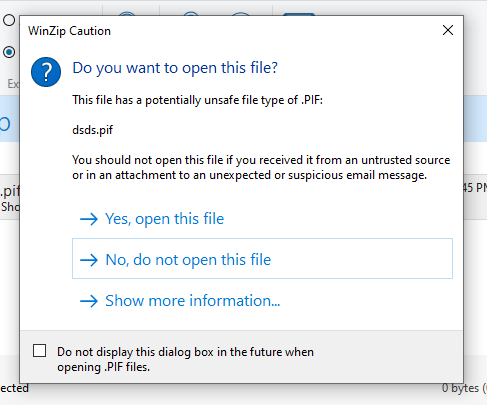
WinZip shows a security alert when you double-click a .pif file to run it without extraction. Unlike WinRAR, WinZip gives you the ability to open the file and it has a more clean and user-friendly text.