Removing Office Document Passwords with Document Password Unlocker
Overview
In this article, I will explain how to remove VBA project password, password to modify, sheet protection password, workbook protection password, restriction password from Word, Excel and PowerPoint documents in Windows.
Description
Document Password Unlocker is a free Windows tool that removes passwords and restrictions from your Word, Excel, PowerPoint and VBA Project files. The application is powerful, very easy to use and portable. There is no cost, there is no premium version. Completely free for everyone. You can download the tool from this website.
Why You Shouldn't Remove Passwords Manually
Trying to unlock a document or VBA project manually by editing the file is risky. One wrong modification or action can completely corrupt your document and VBA project. Document Password Unlocker unlocks your files carefuly and automatically, it saves you a lot of time!
How Document Password Unlocker Removes Passwords
Document Password Unlocker does not hack, brute force or exploit any security system. It simply patches your file, removing lines that force Word, Excel or PowerPoint to restrict or ask for a password. This way, Document Password Unlocker can unlock and remove restrictions without password.
Note: Document Password Unlocker cannot remove Password to Open from documents because that option completely encrypts the document.
Ability to Remove VBA Project Password to View
Not only documents but Document Password Unlocker can also remove the VBA Project Password to view (Lock project for viewing) easily. Your project and code stays completely safe and functional.
Completely Safe from Data Corruption
Document Password Unlocker patches your files carefuly. Even though it is very unlikely that something goes wrong, Document Password Unlocker still takes a backup of your document. You can use that backup if something goes wrong.
Downloading Document Password Unlocker
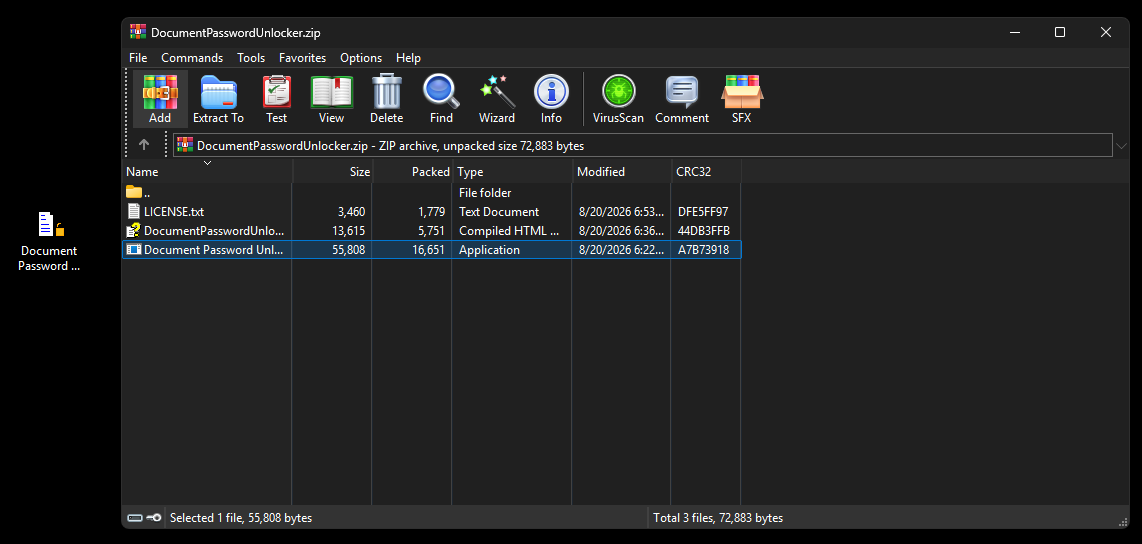
You can download Document Password Unlocker from the button above. After downloading the ZIP file, extract files inside of it into any directory you like. After that, double click to "Document Password Unlocker.exe" file to run the application. The application is completely portable; there is no need to a setup process.
Using Document Password Unlocker
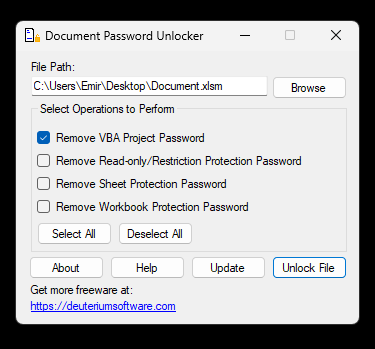
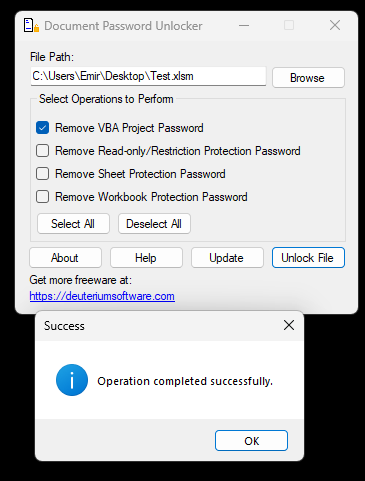
After launching Document Password Unlocker, you can either drag and drop your document or use the "Browse" button to select your file manually. After selecting the document, the path to the file will appear.
Now, you need to select what you want to unlock from the "Select Operations to Perform" menu. Currently, Document Password Unlocker supports four different options.
1. Remove VBA Project Password: This option removes "Password to View" from your Visual Basic for Applications (VBA) project.
2. Remove Read-only / Restriction Protection Password: This option removes read-only or other restrictions and "Password to Modify" from your document.
3. Remove Sheet Protection Password: This option removes sheet protection (Protect Sheet) password from Microsoft Excel documents.
4. Remove Workbook Protection Password: This option removes workbook protection (Protect Workbook) password from Microsoft Excel documents.
After selecting operation(s) to perform on the document, you need to click "Unlock File" to start the unlocking process. You can also use "Select All" button for selecting every operation and "Deselect All" for removing selection from all operations.
Let's Unlock Sheet Protection!

Performing Unlock Operation
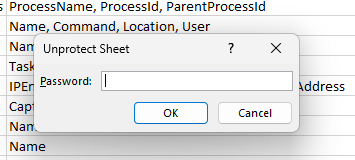
As you can see in the picture above, currently I can't even select anything on the protected sheet in my Excel document. For unlocking, Microsoft Excel asks for a password. I don't remember my password. Let's use Document Password Unlocker to remove sheet protection without password requirement.
Let's Check the Document After Unlocking
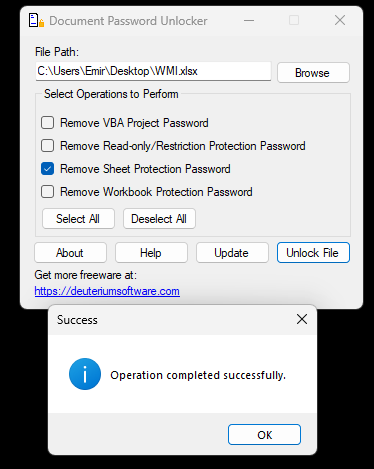
We have successfully removed sheet protection without password on our document. Let's check Review tab to see if the protection is really gone.
Removing VBA Project Password
VBA Project Password to View (Lock project for viewing option) removal works a bit different then others in this tool. This option requires a bit manual work. For removing it, first select "Remove VBA Project Password" and click "Unlock File". After that, the tool will show an information message that contains the steps to unlock and recover the VBA project completely. Here are the steps for removing VBA Project password:
1: After unlocking the file, open the document normally.
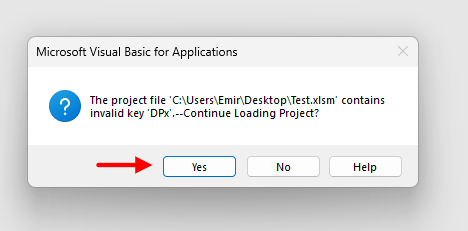
2: Office might show a confirmation dialog, saying that "The project file contains invalid key 'DPx'. --Continue Loading Project?". You need to click "Yes" on this message. If any errors appear, just ignore them.
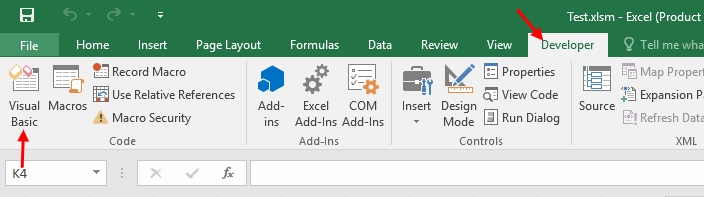
3: If you didn't see the message after opening the dialog, you will see it after opening your Visual Basic for Applications (VBA) project. You can click Alt + F11 to quickly open the project. If you see confirmation message here, do the same thing explained in the Step 2. Ignore any errors that you see.
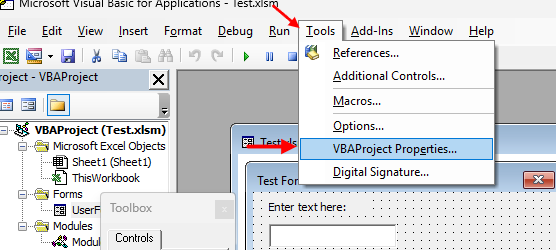
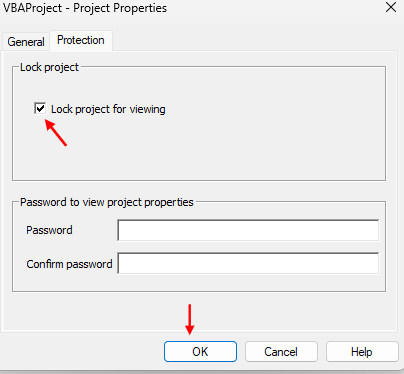
4: Now, we need to click Tools->ProjectName Settings->Protection and uncheck the option "Lock project for viewing" and click OK. Save the document and close it.
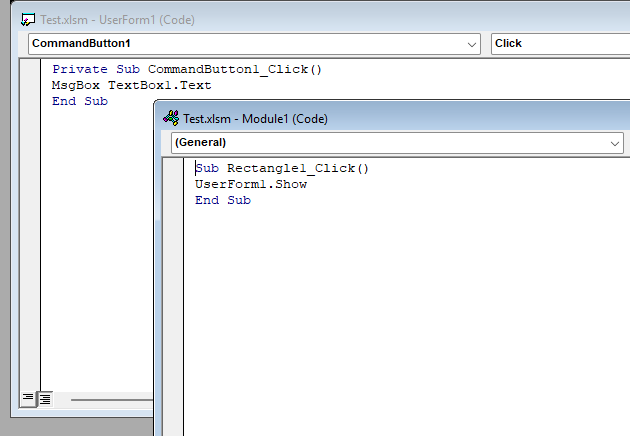
5: Finally, you need to open the document again and after that your project should be accessible without any password requirement.
For Office 97 - 2003 format: If your document is legacy Office 97-2003 format, do the exact steps above but after doing these, you might need to put a password again (such as '123') to access your document. Add any password you like, close and reopen the document, go to VBA project you will be prompted for the new password. Enter your new password and you should be able to access your project without any problems. You can remove that password anytime you like.
Updating
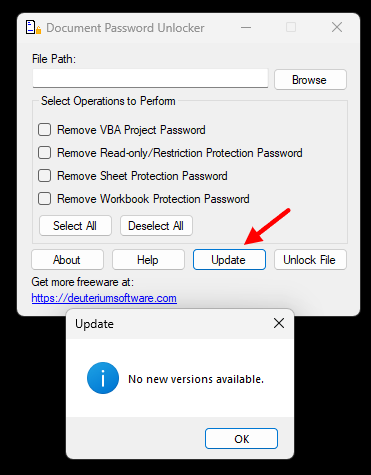
You can check for updates by clicking "Update" button in Document Password Unlocker. The application will open download page if there is a new version of Document Password Unlocker. Please keep Document Password Unlocker updated for new features and best recovery chance.
Important Warning
Document Password Unlocker is designed for legal password unlocking purposes only. As described in the End User License Agreement (EULA) of Document Password Unlocker, the tool can only be used on the documents that you own or have permission to unlock. The author of this article and developer of Document Password Unlocker is not responsible for unlocking of any protected documents or data loss.